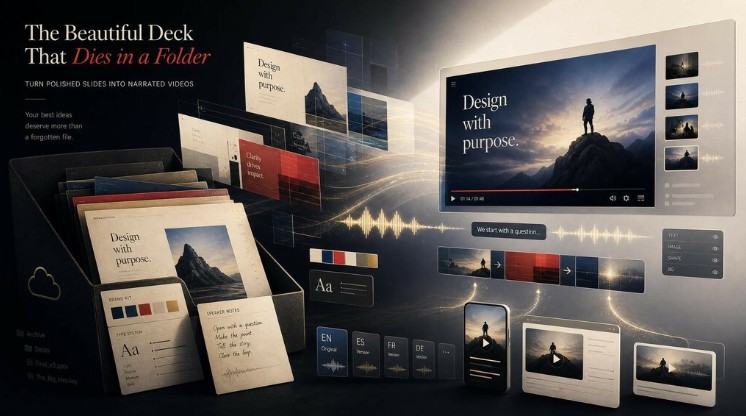
Content creation in 2026 looks nothing like it did even two years ago. What used to require a writer, a designer, a video editor, and hours of manual work can now be handled by a single creator with the right AI stack. Solo creators are publishing daily across YouTube, Instagram, TikTok, and blogs without burning out, and small teams are producing the kind of output that once required a full agency.
The secret is not just using AI tools randomly. It is building a repeatable workflow where every stage of content creation, from idea to publish, runs through AI in a connected, efficient way. This guide walks you through how to build that workflow from scratch.
Why a Workflow Matters More Than the Tools
Most creators make the same mistake: they collect twenty AI tools and use none of them consistently. The result is wasted time, scattered files, and content that feels disjointed.
A proper AI workflow solves this by giving you:
- A clear order of operations from idea to publish
- Fewer apps and tabs to manage
- Consistent quality across every post
- Faster turnaround on every piece of content
- More time for strategy, less time on execution
Once you have a workflow in place, you stop thinking about tools and start thinking about ideas.
Step 1: Ideation and Research
Every workflow begins with knowing what to make. AI handles this far better than most creators realize.
Use language models to brainstorm content topics based on your niche, audience pain points, and trending keywords. Ask for clusters of related ideas rather than single posts so you can plan a full week or month at once.
What to generate at this stage
- Content pillars and subtopics
- SEO-friendly headlines
- Hooks and angles for short-form videos
- Questions your audience is actually asking
- Competitor analysis and content gap ideas
Platforms like ImagineArt have started bundling research, writing, and visual generation into a single creator suite, which means you can move from a topic idea to the next stage without copy-pasting between five different apps. That kind of integration is what separates a good workflow from a frustrating one.
Step 2: Scripting and Copywriting
Once you have your topic, turn it into a script or draft. AI writing tools can produce blog outlines, video scripts, captions, email copy, and ad variations in seconds.
Keep these rules in mind:
- Always give the AI context about your audience and brand voice
- Provide reference examples of writing you like
- Edit aggressively, AI drafts are a starting point, not a finished product
- Keep a personal swipe file of prompts that work for you
The goal at this stage is to finish with a clean script or outline that drives both your visuals and your final copy.
Step 3: Visual Asset Generation
Now your content needs images. Whether you are creating blog graphics, YouTube thumbnails, Instagram carousels, or Pinterest pins, AI image tools can produce every visual you need without hiring a designer or buying stock photos. A reliable free AI text to image generator gives you unlimited creative freedom to test styles, color palettes, and concepts before committing to a final look. ImagineArt is particularly useful here because it produces brand-consistent visuals from simple prompts, which is exactly what creators need when they are publishing daily and cannot afford inconsistency.
Tips for better AI visuals
- Lock in a visual style early (flat, photoreal, cinematic, illustrated)
- Use consistent color palettes across every image
- Save your best prompts as templates for repeat use
- Generate three to five variations and pick the strongest
Aim to create every visual asset for a piece of content in a single session. Switching contexts kills momentum.
Step 4: Video Production
Video is the highest-performing content format in 2026, and AI has made it accessible to anyone. You no longer need a camera, a studio, or editing skills to produce cinematic shorts, talking-head explainers, or product demos.
Using an AI text to video generator, you can turn a written script directly into a finished video complete with scenes, transitions, and motion. ImagineArt offers a full AI film studio experience with simulated cinema cameras and lens controls, which means the output looks closer to professionally shot footage than to generic AI clips. That visual quality matters when your videos are competing against millions of others on the same feed.
What to generate at this stage
- Vertical short-form clips for Reels, Shorts, and TikTok
- Horizontal videos for YouTube
- Product demos and explainer videos
- Voiceovers in your chosen tone and accent
- Background music and sound effects
Batch your video creation. Make five to ten videos in one session instead of one at a time.
Step 5: Editing, Captions, and Final Touches
Even AI-generated content needs polish. Use AI-powered editors to handle the final layer of work:
- Auto-generated subtitles and captions
- Color correction and grading
- Background music syncing
- Removing filler words and pauses
- Adding zooms, cuts, and effects automatically
This is also where you add your personal touch: opening hooks, calls to action, and any custom branding. The AI does the heavy lifting, but your judgment is what makes the final piece feel human.
Step 6: Scheduling and Distribution
A great piece of content that no one sees is wasted effort. Use AI scheduling tools to plan, queue, and publish across every platform from one dashboard.
What to automate at this stage
- Cross-platform scheduling
- Caption variations for each platform
- Hashtag research and selection
- Optimal posting time suggestions
- Repurposing one piece into ten formats
Step 7: Analytics and Iteration
The final step is the one most creators skip. Use AI analytics tools to track which content performs, why it performs, and what to make more of. Feed those insights back into Step 1, and the workflow becomes a loop that gets sharper every month.
Conclusion
Building a content creation workflow using only AI tools is not about replacing creativity. It is about removing the friction between your ideas and your audience. When research, writing, visuals, video, editing, and distribution all run through a connected AI stack, you stop spending hours on production and start spending them on what actually grows your audience: strategy, originality, and consistency. Start with a simple workflow, refine it weekly, and within a month you will be producing more content, at higher quality, than you ever thought possible as a solo creator.
Frequently Asked Questions
1. Do I need to be tech-savvy to build an AI content workflow?
No. Most modern AI tools are designed for creators with zero technical background. If you can write a sentence describing what you want, you can use them. Start with one stage at a time and add tools as you grow comfortable.
2. How much does an AI content creation workflow cost?
You can build a functional workflow for free using the free tiers of most major AI tools. A more advanced setup with premium features, higher generation limits, and commercial usage rights typically costs between 30 and 100 dollars per month.
3. Will AI-generated content hurt my SEO or social reach?
Not if it is high quality and genuinely useful. Search engines and social platforms reward content that helps the audience, regardless of how it was made. Use AI to scale your output, but always edit, fact-check, and add your own perspective before publishing.