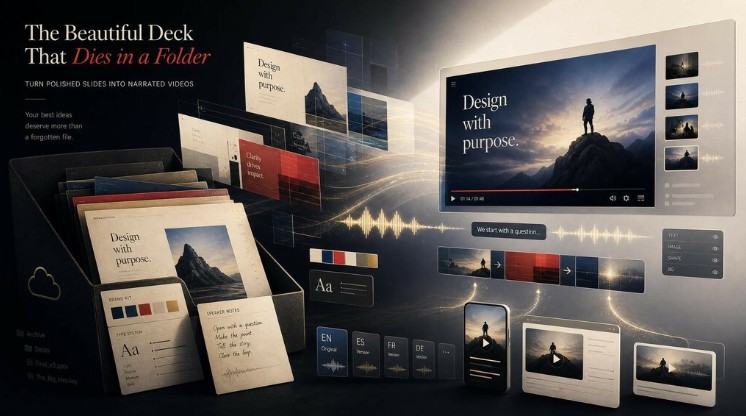
You know the feeling if you’ve ever cared how a slide looks. You spend a weekend on a deck — the type pairing finally clicks, the spacing is right, every slide has a point of view. You present it once to a room, or post a couple of screenshots, and then the file goes to a folder to die. The craft that went into it reached a dozen people for forty minutes, and a fraction of that survives as flattened JPEGs in someone’s camera roll.
The work was real. The reach was a rounding error. And the part that made it land — you talking over it, explaining what each slide actually meant — vanished the moment it became a static file.
This is the quiet tax on anyone who makes visually considered slides. A deck is built to be performed, with a voice carrying it. Strip the voice out and you’re left with handsome fragments and a viewer guessing at the connective tissue you never got to say.
Why Good-Looking Decks Travel Badly
It’s worth naming why beautiful slides go nowhere.
Bullet points and clean layouts are shorthand for a spoken explanation. The slide says three words; the meaning lived in the sentence you spoke over it. Forward the raw file and the audience gets the typography but not the argument — they see that it’s nice without understanding why it matters. For people whose whole point is visual communication, that’s the cruelest version of the problem: the thing you’re best at is exactly what doesn’t survive the handoff.
And the places where visual work actually gets discovered now are video-shaped. Feeds autoplay clips; search surfaces them; a polished deck is not a format the algorithm pushes or that anyone shares to their story. So the most considered thing you made all month sits in cloud storage while throwaway content travels, purely because it’s in the format the platforms reward.
What makes this especially frustrating is that the missing ingredient — the narration — usually already exists in writing. It’s sitting in the speaker notes, where most people dump the script they meant to say. Written once, read never. The deck and its explanation are both done; they’ve just never been combined into the one format that would let the work reach past the room.
Letting the Deck Present Itself — Without Losing the Look
This is where converting a slide deck into a self-contained video stops being a chore and starts being the obvious move. Instead of re-presenting or letting the file rot, you turn it into a tight, watchable explainer anyone can play on their own time — without losing the visual care you put in.
A PPT to video converter like Leadde.ai is built around exactly this. Its Slide Presenter takes a PowerPoint or PDF and produces an editable dynamic video rather than a flat screen capture, and it doesn’t lock you into one import mode. Bring slides in as static images when you want the output to match your original layout exactly, or import them as fully editable layers when you want to restyle text, swap fonts, or reposition elements afterward — the mode that matters if you’re particular about how things look. The narration is handled in the same spirit: the script can be auto-generated, or imported straight from the speaker notes you already wrote.
A few features reward the design-minded specifically. A Brand Kit holds your logo, color palette, and fonts, so every video keeps a consistent visual identity. Captions come in nine styles you can tune to match the piece rather than settle for a default. And with 88 languages, a finished video can be reissued for another audience by translating it into a new draft — script and on-screen text together.
The use cases surface fast: turn a workshop or portfolio deck into a shareable video that actually circulates; turn a brand or style guide into a watchable explainer for clients and collaborators; spin a pitch deck into something you send instead of re-presenting for the fifth time.
Be honest about the limits, though. AI presenters have improved, but on close attention they still read as synthetic — for a moment that depends on your genuine presence, a real person on camera wins. Output tracks input: sloppy speaker notes make a sloppy script, and slides built on dense charts translate poorly because they were made to be paused over, not narrated past. And brand perfectionists should temper expectations — the editing is flexible, but it won’t reproduce a bespoke motion-graphics treatment frame for frame.
If you’ve got a deck gathering dust right now, the low-risk test is simple: pick one with decent notes, run it through the free tier, and see whether the narrated version says what you would have said in the room — and looks the way you’d have wanted it to.